



nami 0.20.1
The declarative manager for Linux.
Your whole Linux setup in one file.
Apps
Any app, in any version.
Ready-built from nixpkgs, each with its own libraries, so nothing clashes with your distro.
$ nami install firefox
✓ Installed firefox 160.0 · in your user.nami · opens from the launcher
$ nami install python3@3.12  # newest 3.12.x
Your setup
Apps, dotfiles and settings. One file.
Put ~/user.nami in git, and every computer you use is set up the same way.
# your setup, on every computer
packages:
  - zsh:
      login-shell: true
  - git:
      ~/.gitconfig:
        user: { name: Ada }
aliases:
  ll: eza -l --git
env:
  EDITOR: hx
settings:
  org.gnome.desktop.interface:
    color-scheme: prefer-dark
Changes
Undo any change.
Every install, removal and upgrade can be taken back instantly, with nothing to download.
$ nami history
● 4  just now    + vlc  · in use
  3  yesterday   + gimp
  2  last week   + firefox, ripgrep
$ nami undo
  − vlc 3.0.24
✓ Back at change 3 · user.nami and nami.lock are as they were then
Projects
Give each project its own tools.
Everyone who clones it gets the same tools, tasks and services, at the same versions.
# project.nami, in the project's folder
packages:
  - nodejs: 22
  - ripgrep
tasks:
  test: npm test
  dev: npm run dev
services:
  - ./services/postgres.nami
$ cd shop && nami shell
$ nami run test
nami bundle
Ship your app as one file.
It runs on Ubuntu, Fedora, Debian, Arch and the rest, old and new, with nothing to install first, and it keeps itself up to date.
Learn about nami bundle- Ubuntu 20.04
- Ubuntu 24.04
- Debian 12
- Fedora 45
- Arch Linux
- openSUSE
- Linux Mint 22.3
- namiOS
Sync
The same setup on all your computers.
Add an app on your laptop, and it shows up on your desktop, through a git repository of your own.
+ blendergithub:ada/nami-config+ blenderThe nami app
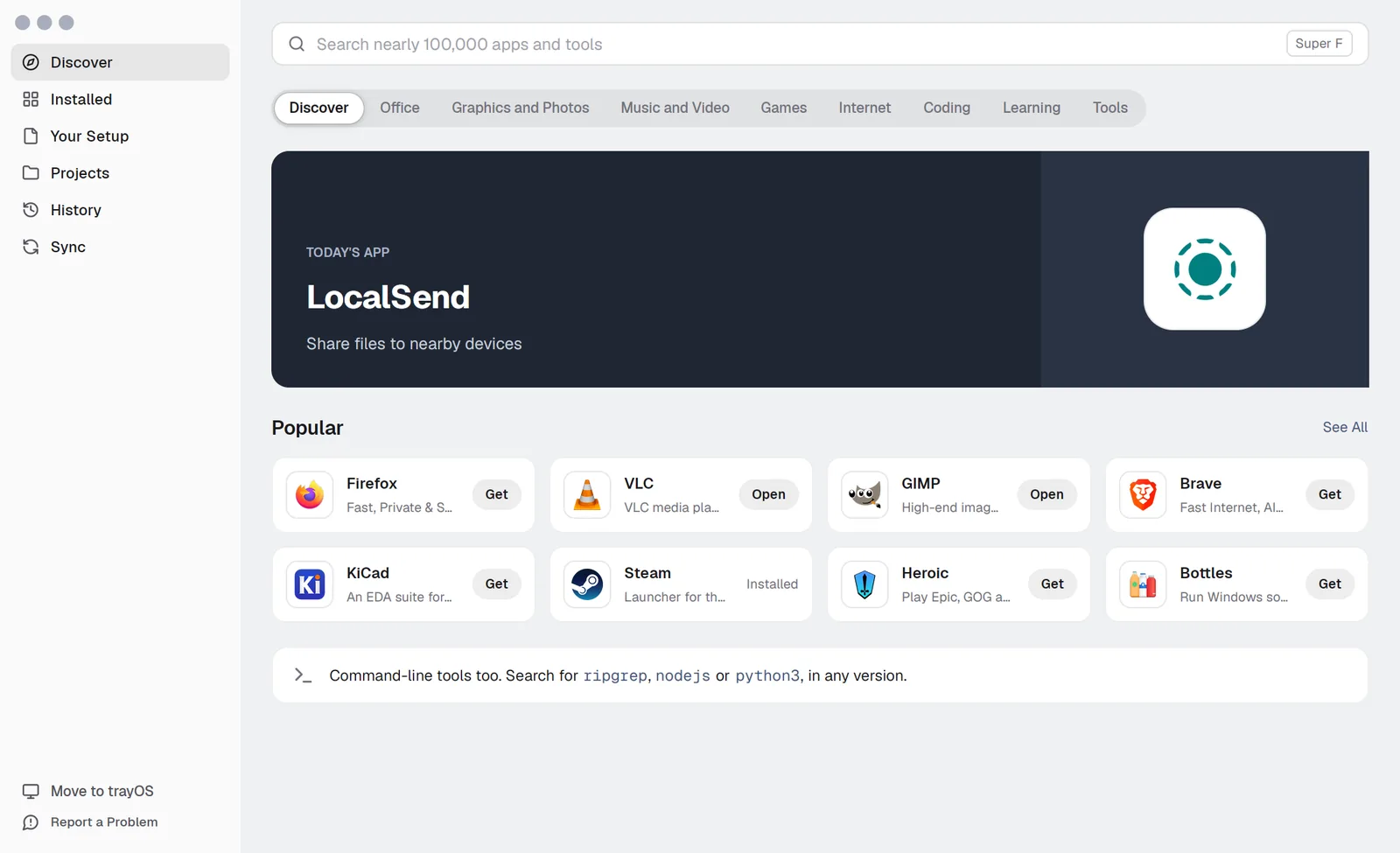
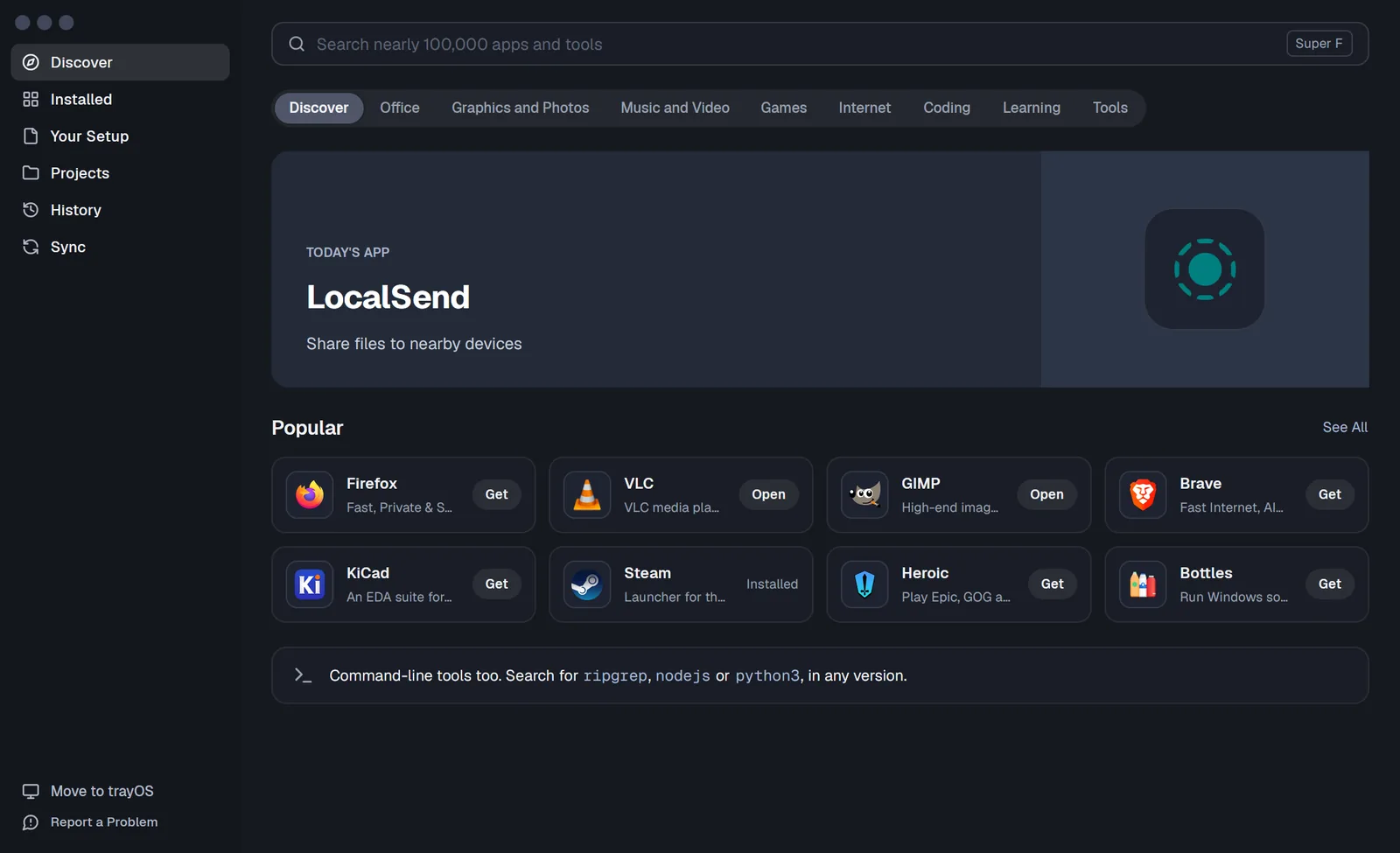
Prefer clicking? Use the app.
Find apps, keep your setup, run projects and go back in time, without a terminal.
nami and Nix
All of nixpkgs, without learning Nix.
nami is its own package manager. It installs nixpkgs' ready-built packages, and never needs Nix.
What you write.
packages:
  - firefox
  - nodejs: 22
  - ripgrep
{
  inputs = {
    nixpkgs.url = "github:NixOS/nixpkgs/nixos-unstable";
    home-manager.url = "github:nix-community/home-manager";
    home-manager.inputs.nixpkgs.follows = "nixpkgs";
  };

  outputs = { nixpkgs, home-manager, ... }: {
    homeConfigurations.ada = home-manager.lib.homeManagerConfiguration {
      pkgs = nixpkgs.legacyPackages.x86_64-linux;
      modules = [
        ({ pkgs, ... }: {
          home.username = "ada";
          home.homeDirectory = "/home/ada";
          home.stateVersion = "25.11";
          home.packages = with pkgs; [
            firefox
            nodejs_22
            ripgrep
          ];
        })
      ];
    };
  };
}
When you make a typo.
$ nami check project.nami
project.nami:3: error: ripgrpe isn't in the catalog (did you mean `ripgrep`?)
$ nix-shell
error:
       … while calling the 'derivationStrict' builtin
         at «nix-internal»/derivation-internal.nix:37:12:
           36|
           37|   strict = derivationStrict drvAttrs;
             |            ^
+ 20 more lines
Faster, and smaller.
Measured November 19, 2026: nami 0.18.7 and Nix 2.35.6, the same nixpkgs from cache.nixos.org, the middle of three runs, each in a new container. How we measured
Already use Nix? nami works next to it, and nami import turns your setup into nami files.
One tool
One tool, instead of juggling many.
nami install
firefox: 150
project.nami
nami up
nami try
~/.gitconfig:
!secret
nami sync
nami bundle
And there's more.
-
Apps from Flathub
flathub: -
Install a downloaded .deb
nami install ./app.deb -
Turn a .deb into a package
nami recipe from-deb -
Build your own packages
package.nami -
Ship your app as one file
nami bundle -
Passwords, safe in git
!secret -
Folders in sync, no cloud
Syncthing -
Services from your file
systemd -
One repo for all your computers
config repos -
Build on shared layers
nami layers -
Build once, share the result
nami push -
Bring your Ubuntu or Nix setup
nami import -
Tools load as you cd
nami hook -
Run a tool without installing it
nami try -
Just for you, or the system
--system -
See what changed
nami diff -
Keep an app's own edits
nami home -
Checks as you type
VS Code, Helix, Neovim -
Find and report problems
nami doctor -
Your distro left as it was
apps in /nix, not /usr
Ready for a fresh start? Try namiOS in a window, from the nami app. namiOS
Install nami on the distribution you have.
Paste this into a terminal on Ubuntu, Fedora, Mint, Arch or any other distribution on x86_64. It takes a minute or two.
$ curl -fsSL https://namios.dev/install | sh
$ curl -fsSL https://namios.dev/install | sh -s -- --no-app
Show the install script
#!/bin/sh
# nami installer: curl -fsSL https://namios.dev/install | sh
# Downloads the latest release, checks it, and installs it (asks for sudo).
# The package catalog comes from https://namios.dev/menu/nixos-unstable, signed by one of the
# keys below; nami refuses a catalog that isn't.
#
# Options: curl -fsSL https://namios.dev/install | sh -s -- --config <repo>
#   --config <repo>  then set this computer up from your config repo
#                (github:you/nami-config, or any git URL): `nami apply <repo>`
#   --no-app     the command line only, without nami's app (nami-gui), which
#                otherwise comes where there's a desktop. Or NAMI_NO_APP=1:
#                curl -fsSL https://namios.dev/install | NAMI_NO_APP=1 sh
#                Add the app later with: sudo nami install nami-gui
#                Remove it with: sudo nami remove nami-gui
set -eu
BASE="https://namios.dev"
CHANNEL="nixos-unstable"
KEY="tray-3:2mdy3XffXu9eaNi6oBseLBb0/wLipqSmsWduhkaaU84="     # what releases are signed with
# Every key nami's site is signed with (packaging/keys). The computer trusts
# those in use: the release's and the catalog's (they differ while a new key
# comes in).
KEYS="tray-2:uHz+KI06voKMb/xTAfd9nd4d8y008M5x5xWFy/pbpIs= tray-3:2mdy3XffXu9eaNi6oBseLBb0/wLipqSmsWduhkaaU84="

config=""
case ${NAMI_NO_APP:-} in ""|0|no|false) app=1 ;; *) app="" ;; esac
while [ $# -gt 0 ]; do
  case $1 in
    -y|--yes) ;;   # nothing to ask any more
    --no-app) app="" ;;
    --config=*) config=${1#--config=} ;;
    --config) [ $# -gt 1 ] || { echo "--config needs your config repo (github:you/nami-config)"; exit 1; }; config=$2; shift ;;
    -h|--help) printf '%s\n' "nami installer." "  --config <repo>  then set this computer up from your config repo (github:you/nami-config)" "  --no-app         the command line only, without nami's app (or NAMI_NO_APP=1)"; exit 0 ;;
    *) echo "unknown option: $1 (try --help)"; exit 1 ;;
  esac
  shift
done

# Colours and redrawing only on a terminal.
if [ -t 1 ] && [ "${NO_COLOR:-}" = "" ]; then
  B=$(printf '\033[1m') D=$(printf '\033[2m') G=$(printf '\033[32m') R=$(printf '\033[31m') Y=$(printf '\033[33m') N=$(printf '\033[0m')
else
  B="" D="" G="" R="" Y="" N=""
fi
say() { printf '  %s\n' "$*"; }
ok() { printf '  %s✓%s %s\n' "$G" "$N" "$*"; }
fail() { printf '  %s✗ %s%s\n' "$R" "$*" "$N"; exit 1; }

printf '\n  %snami%s  %syour whole Linux setup in one file%s\n\n' "$B" "$N" "$D" "$N"

case "$(uname -s)-$(uname -m)" in
  Linux-x86_64) ;;
  Darwin-*) fail "nami runs on x86_64 Linux for now, not on macOS." ;;
  Linux-*) fail "nami runs on x86_64 Linux for now. This computer is $(uname -m)." ;;
  *) fail "nami runs on x86_64 Linux for now. This computer is $(uname -s) $(uname -m)." ;;
esac
if command -v curl >/dev/null 2>&1; then fetch() { curl -fsSL "$1"; }
elif command -v wget >/dev/null 2>&1; then fetch() { wget -qO- "$1"; }
else fail "The installer needs curl or wget."
fi
if [ "$(id -u)" -eq 0 ]; then SUDO=""
elif command -v sudo >/dev/null 2>&1; then SUDO=sudo
else fail "Run this as root (there's no sudo)."
fi

version=$(fetch "$BASE/releases/latest") || fail "Couldn't reach $BASE. Check your connection and try again."
file="nami-$version-x86_64-linux.tar.gz"
tmp=$(mktemp -d); trap 'rm -rf "$tmp"' EXIT
# ?via=install: the site counts it as a new install, not an update (namios.dev/privacy).
fetch "$BASE/releases/$version/$file?via=install" > "$tmp/$file" || fail "Downloading nami $version failed. Check your connection and try again."
size=$(du -h "$tmp/$file" | cut -f1)
ok "Downloaded nami $version ($size)"
fetch "$BASE/releases/$version/SHA256SUMS" > "$tmp/SHA256SUMS" || fail "Downloading the checksums failed."
fetch "$BASE/releases/$version/SHA256SUMS.sig" > "$tmp/SHA256SUMS.sig" || fail "Downloading the checksums' signature failed."
(cd "$tmp" && grep " $file\$" SHA256SUMS | sha256sum -c --quiet - >/dev/null 2>&1) || fail "The download doesn't match its checksum; nothing was installed."
# key_of <name>: the key of that name, from KEYS.
key_of() { for k in $KEYS; do [ "${k%%:*}" = "$1" ] && { echo "$k"; return 0; }; done; return 1; }
signer() { cut -d: -f1 "$1" | head -1 | tr -d ' \r\n'; }
# The checksums are signed with a key above (as for nami self-update):
# checked with openssl (3.0 or newer), where there is one.
rel_signer=$(signer "$tmp/SHA256SUMS.sig")
rel_key=$(key_of "$rel_signer") || rel_key=""
verify() {
  [ -n "$rel_key" ] || return 1
  { printf '\060\052\060\005\006\003\053\145\160\003\041\000'; printf '%s' "${rel_key#*:}" | base64 -d; } > "$tmp/key.der"
  cut -d: -f2- "$tmp/SHA256SUMS.sig" | tr -d '\n' | base64 -d > "$tmp/sig"
  # (The context stays tray's, as nami signs and checks it: src/catalog.rs.)
  printf 'tray-catalog-v1:%s' "$(sha256sum "$tmp/SHA256SUMS" | cut -d' ' -f1)" > "$tmp/msg"
  openssl pkeyutl -verify -pubin -keyform DER -inkey "$tmp/key.der" -rawin -in "$tmp/msg" -sigfile "$tmp/sig" >/dev/null 2>&1
}
if command -v openssl >/dev/null 2>&1 && openssl pkeyutl -help 2>&1 | grep -q rawin; then
  [ -n "$rel_key" ] || fail "The download is signed by ${rel_signer:-nobody}, a key this installer doesn't know; nothing was installed."
  verify || fail "The download isn't signed by $rel_signer; nothing was installed."
  ok "Verified ${D}(signed by namios.dev)${N}"
else
  ok "Checksum matches"
fi
# The key the catalog is signed with, for setup.sh to trust (nami checks
# the catalog's signature itself).
cat_key=$KEY
rev=$(fetch "$BASE/menu/$CHANNEL" 2>/dev/null) && fetch "$BASE/menu/$rev/index-x86_64-linux.json.xz.sig" > "$tmp/catalog.sig" 2>/dev/null &&
  cat_key=$(key_of "$(signer "$tmp/catalog.sig")") || cat_key=$KEY
tar -xzf "$tmp/$file" -C "$tmp"

if [ -n "$SUDO" ]; then
  say "${Y}→${N} Installing needs your password (sudo):"
  $SUDO -v || fail "Not installed: sudo didn't work."
fi
say "${Y}→${N} Installing nami in /nix"
echo
# setup.sh's own progress, indented under ours.
( $SUDO env NAMI_CHANNEL="$BASE/menu/$CHANNEL" NAMI_KEY="$cat_key" \
    sh "$tmp/nami-$version/setup.sh" 2>&1 && echo 0 > "$tmp/status" || echo 1 > "$tmp/status" ) | sed "s/^/    ${D}│${N} /"
[ "$(cat "$tmp/status")" = 0 ] || fail "Installing didn't finish (see above). Run the installer again to retry."
# nami's folder: /nami, or /nix/var/nami where / can't hold it (/nix/var/nami reaches it).
V=$(cd /nix/var/nami && pwd -P)
# The release's key too, where the catalog's is another: nami's next
# releases are signed with it (nami self-update), and so is its next catalog.
if [ -n "$rel_key" ] && [ "$rel_key" != "$cat_key" ]; then
  ( $SUDO $V/bin/nami update --from "$BASE/menu/$CHANNEL" --trust "$rel_key" 2>&1 | grep '^trusting' ) | sed "s/^/    ${D}│${N} /"
  grep -q "\"$rel_key\"" $V/catalog-keys.json 2>/dev/null ||
    say "${R}✗${N} nami doesn't trust ${rel_key%%:*}, which its updates are signed with. Add it with: ${B}sudo nami update --from $BASE/menu/$CHANNEL --trust $rel_key${N}"
fi
echo
ok "${B}nami $version is installed.${N}"
# nami's app (nami's window), where there's a desktop to show it on, unless
# you said --no-app: `nami install nami-gui` puts its recipe (from nami's
# examples) in /etc/nami/packages and lists it in /etc/nami/system.nami. Once
# taken out (`sudo nami remove nami-gui`, which leaves the recipe), it stays
# out, here and in updates.
# A desktop: one in use, or one to log in to (Wayland's or X11's: either is enough).
has_desktop() {
  [ -n "${XDG_CURRENT_DESKTOP:-}${WAYLAND_DISPLAY:-}${DISPLAY:-}" ] && return 0
  for f in /usr/share/wayland-sessions/*.desktop /usr/share/xsessions/*.desktop; do [ -e "$f" ] && return 0; done
  return 1
}
gui=""
if grep -qE '^[[:space:]]*-[[:space:]]*["'"'"']?(\./packages/|/etc/nami/packages/)?nami-gui["'"'"']?[[:space:]]*(#.*)?$' /etc/nami/system.nami 2>/dev/null; then
  gui=installed   # (setup.sh brought it up to date)
elif [ -z "$app" ] || [ -d /etc/nami/packages/nami-gui ]; then
  gui=skipped
elif has_desktop; then
  say "${Y}→${N} Installing nami's app"
  ( $SUDO "$V/bin/nami" install nami-gui 2>&1 && echo 0 > "$tmp/status" || echo 1 > "$tmp/status" ) | sed "s/^/    ${D}│${N} /"
  if [ "$(cat "$tmp/status")" = 0 ]; then
    gui=installed
    ok "nami's app is in your app menu (${B}nami-gui${N})"
  else
    gui=skipped
    say "${R}✗${N} The app didn't install (see above). nami works without it."
  fi
fi
if [ -n "$config" ]; then
  # As you, not root: the repo becomes your ~/.config/nami. Its
  # The computer's file (its folder, named after it) goes to the computer through nami's daemon (admins).
  say "${Y}→${N} Setting this computer up from ${B}$config${N}"
  echo
  if [ "$(id -u)" -eq 0 ] && [ -n "${SUDO_USER:-}" ] && [ "$SUDO_USER" != root ]; then
    as_you="sudo -u $SUDO_USER -H"
  else
    as_you=""
  fi
  # stdin is this script (curl | sh): git and ssh ask on the terminal itself.
  ( $as_you $V/bin/nami apply "$config" </dev/null 2>&1 && echo 0 > "$tmp/status" || echo 1 > "$tmp/status" ) | sed "s/^/    ${D}│${N} /"
  echo
  if [ "$(cat "$tmp/status")" = 0 ]; then
    ok "Set up from $config"
  else
    say "${R}✗${N} Setting up from $config didn't finish (see above). nami is installed; retry with: ${B}nami apply $config${N}"
  fi
fi
say "  Open a new terminal, then try: ${B}nami install firefox${N}"
say "  Log out and back in once, so your app menu shows nami's apps."
say "  New to nami? ${B}$BASE/docs/nami/first-apps${N}"
case $gui in
  installed) say "  ${D}Don't want the app? Remove it with: sudo nami remove nami-gui${N}" ;;
  skipped) say "  ${D}Want the app? Add it with: sudo nami install nami-gui${N}" ;;
esac
say "  ${D}Remove nami again with: sudo sh $V/uninstall.sh${N}"
echo
alphanami is alpha software: most things work, some may not yet, and you can undo every change.
Other downloads: tarball · checksums
Get updates by email
Or start fresh with namiOS
The whole computer from one file: the desktop, apps and settings, ready from the first start.
Keep Ubuntu, Fedora, Mint or Arch, and add nami on top.